Jocuri Online
jucat de 10 ori
Înapoi
Autentifică-te pentru a salva la favorite
Despre acest joc
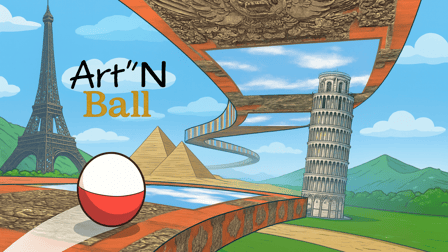
Art'N Ball este un amestec între tenisul clasic și un joc de platformă 3D. Jucătorul va călători în diferite locații din lumea derulantă a Art'N Ball, returnând cu abilitate mingea sa de Pământ pentru ca aceasta să treacă de pereți, expoziții de artă, provocări foto și puzzle pentru a o elibera în cele din urmă din calea galeriei sale închise în Spațiul infinit.
El va experimenta diferite niveluri de complexitate pe măsură ce mingea de Pământ îl poartă din teritorii rurale sau muntoase în măruntaiele subterane, în adâncurile mărilor, pe lângă peisaje urbane frenetice, spre peisaje artistice luxuriante și într-o călătorie surpriză pe orbită...
Cum se joacă
Play Ball With Art!
The player has to ceaselessly return the ball with his racket in a gallery hallway, which takes twists and turns and narrows or widens as the player changes ambiance, until he meets a Level boss at the end of 3 Acts in order to exit the gallery. He constantly needs to keep an eye on the Earth-ball trajectory to anticipate its return and take it with the most appropriate angle to overcome obstacles and artfully squeeze his way out.
He can maximize his gameplay by catching bonuses, completing image puzzles, taking in-game world screenshots, or lighting exhibits to uncover their art contents, while getting a comfortable view of the outside scenery through large bay windows and enjoying a cosy or rhythmic music atmosphere.
He may also refine his strategy by prioritizing moving the ball forward to finish a level versus finishing puzzles or taking screenshots to earn extra lives and better score and level ranking.
He has to beware of maluses which will slow down his progression, but the good news is that these can actually turn to his advantage, e.g getting a chance to retrieve an extra life (in completing the missing blocks of a puzzle or hitting a final screenshot) or simply getting an easy way out with a downsized racket.
Desktop controls:
Menus:
mouse + click left to access menus/icons
In game:
mouse move: racket control up-down-left-right
click left: launch ball & move forward
P: pause/unpause game
Mobile controls:
Menus:
tap to access menus/icons
In game:
touch & move racket: racket control up-down-left-right
touch move icon: launch ball & move forward
Average time to complete a level using the "Save game" option is about 20 to 30min for beginners.
"Save game" option allows the user to save the game at every Act end (3 Acts per level, 8 levels) and at every beginning of level ("Load game" to continue to play).
The player will be able to replay all levels which were previously completed (and saved) thanks to the 'Choose game level" menu.
A Training Room is accessible from the main menu. It explains the game principles/mechanics (but only partly to let the player discover by himself), shows an automatic demo and allows the player to test the game before entering Level 1.
The player has to ceaselessly return the ball with his racket in a gallery hallway, which takes twists and turns and narrows or widens as the player changes ambiance, until he meets a Level boss at the end of 3 Acts in order to exit the gallery. He constantly needs to keep an eye on the Earth-ball trajectory to anticipate its return and take it with the most appropriate angle to overcome obstacles and artfully squeeze his way out.
He can maximize his gameplay by catching bonuses, completing image puzzles, taking in-game world screenshots, or lighting exhibits to uncover their art contents, while getting a comfortable view of the outside scenery through large bay windows and enjoying a cosy or rhythmic music atmosphere.
He may also refine his strategy by prioritizing moving the ball forward to finish a level versus finishing puzzles or taking screenshots to earn extra lives and better score and level ranking.
He has to beware of maluses which will slow down his progression, but the good news is that these can actually turn to his advantage, e.g getting a chance to retrieve an extra life (in completing the missing blocks of a puzzle or hitting a final screenshot) or simply getting an easy way out with a downsized racket.
Desktop controls:
Menus:
mouse + click left to access menus/icons
In game:
mouse move: racket control up-down-left-right
click left: launch ball & move forward
P: pause/unpause game
Mobile controls:
Menus:
tap to access menus/icons
In game:
touch & move racket: racket control up-down-left-right
touch move icon: launch ball & move forward
Average time to complete a level using the "Save game" option is about 20 to 30min for beginners.
"Save game" option allows the user to save the game at every Act end (3 Acts per level, 8 levels) and at every beginning of level ("Load game" to continue to play).
The player will be able to replay all levels which were previously completed (and saved) thanks to the 'Choose game level" menu.
A Training Room is accessible from the main menu. It explains the game principles/mechanics (but only partly to let the player discover by himself), shows an automatic demo and allows the player to test the game before entering Level 1.
Detalii joc
-
Orientare Both
-
Limbi disponibileen-US
-
Etichete